
Download Movie Monkey – Movie Collection Organizer, IMDB Integration, Film Cataloging
Overview
Movie Monkey is a dedicated mobile application designed to help users efficiently manage and organize their personal movie collections. By scanning stored media files on a device or connected drive, the app identifies existing films and pulls comprehensive metadata from the IMDB database. This automated process eliminates the need for manual data entry, saving time and ensuring accuracy. The app serves as both a digital library and a viewing platform, offering a unified experience for movie enthusiasts who want to track what they’ve seen, discover new titles, and enjoy their collection without switching between apps.
It is particularly useful for individuals with extensive digital movie libraries who seek a streamlined way to categorize, search, and access their content. Whether used at home or on the go, Movie Monkey supports real-world scenarios such as organizing a personal archive, planning movie nights, or tracking viewing progress. The app plays a key role in the digital media ecosystem by bridging the gap between file storage and content discovery, enhancing user engagement with personal media.
The developer did not provide additional technical details. Compatibility information was not fully disclosed. Specific requirements were not listed. Although the developer did not specify the exact release date, the app has been available since 2012, indicating a long-standing presence in the market.
Key Features & Functionality
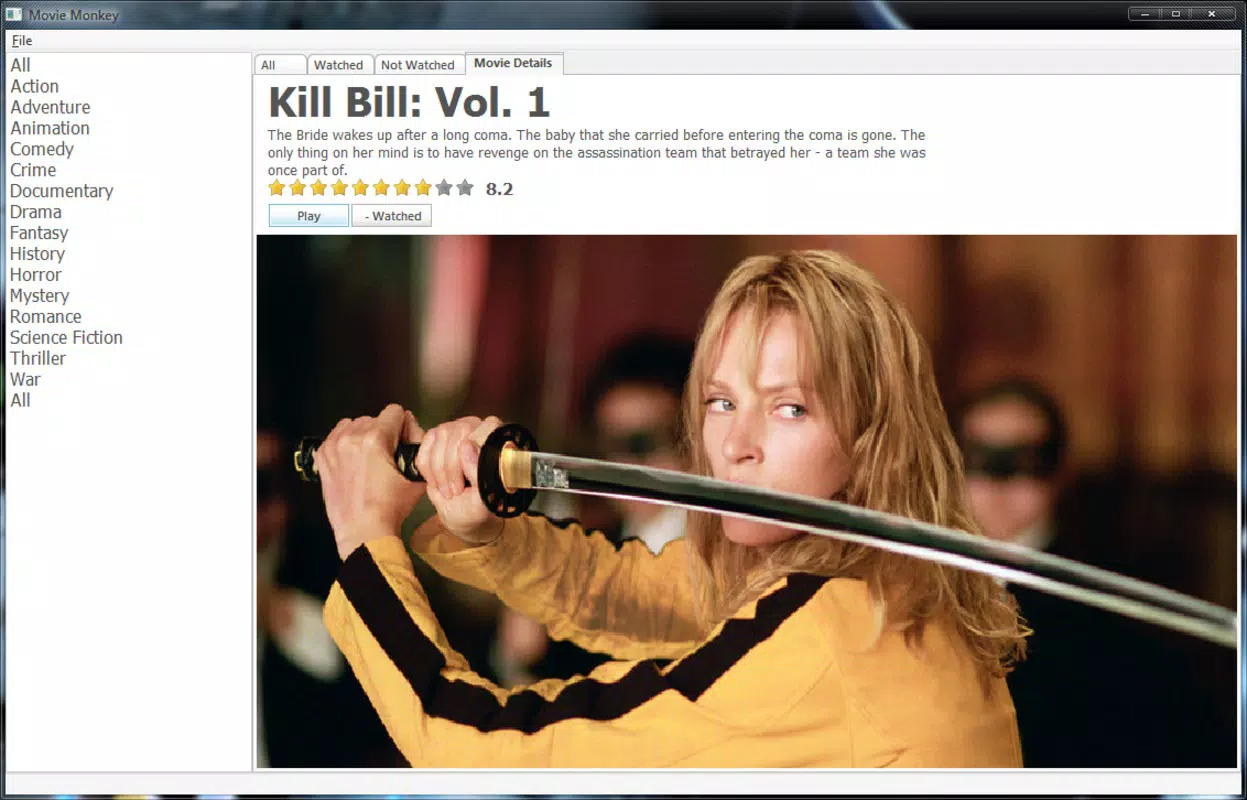
Movie Monkey offers a suite of practical tools tailored to film collectors and casual viewers alike. Its core functionality revolves around automatic movie identification through hard drive scanning, which detects video files and matches them with entries in the IMDB database. This process retrieves detailed information such as titles, release years, cast, plot summaries, ratings, and poster art—enabling users to build a rich, organized catalog without effort.
- Quick Movie Identification: Scans local storage to detect and label films using IMDB data, reducing manual input.
- User-Friendly Filtering: Allows users to sort movies by viewing status—“Watched” or “Unwatched”—to streamline selection for future viewing.
- Integrated Viewing Experience: Enables playback of stored films directly within the app, eliminating the need to switch to external media players.
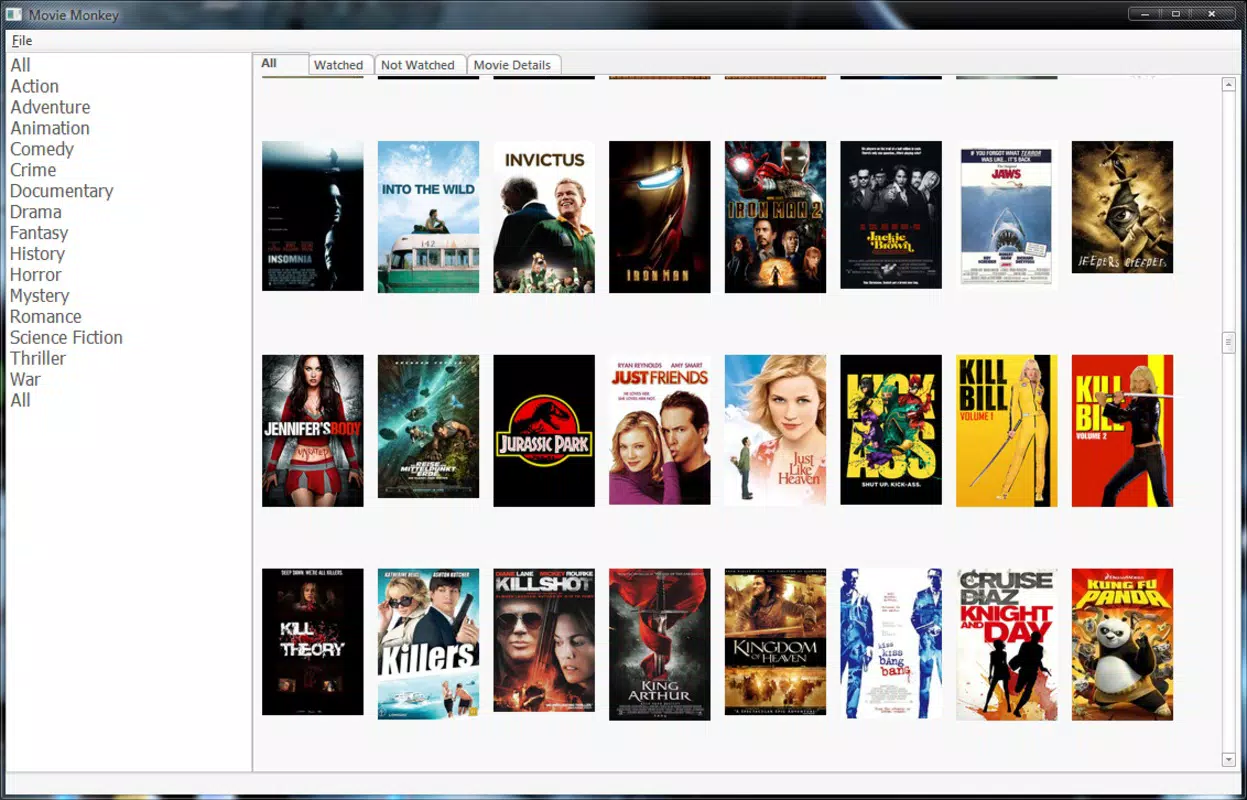
- Comprehensive Movie Cataloging: Centralizes all films in one searchable, sortable interface with rich metadata for enhanced browsing and discovery.
- Internet Connectivity Required: Real-time data fetching from IMDB depends on an active internet connection, which may affect usability in offline environments.
For example, a user with hundreds of downloaded movies can scan their drive once, and Movie Monkey will automatically generate a full catalog. They can then filter to see only unwatched films, select one, and start watching immediately—all within the same interface. This seamless integration supports efficient media management and enhances the overall viewing experience.
Interface, UX & Performance
The app features a clean, intuitive interface that prioritizes accessibility and ease of navigation. Users can expect a layout optimized for browsing large libraries, with visual elements such as thumbnails, categorized lists, and quick-access filters. The design emphasizes clarity, allowing users to locate specific films or browse by genre, year, or viewing status with minimal effort.
Navigation is straightforward, with a logical flow between the main library, individual film details, and playback controls. The app’s responsiveness appears consistent across device types, though formal performance metrics were not provided. Although the developer did not list formal performance metrics, the app’s ability to scan and display large collections suggests optimized handling of media files.
Stability during playback and catalog updates appears reliable based on its long-standing availability. However, the requirement for internet connectivity during initial scanning and metadata retrieval may impact performance on slower or unstable networks. Users with limited bandwidth may experience delays when syncing data with IMDB.
Platform Compatibility & Technical Requirements
Movie Monkey is available for Android and iOS platforms. The app supports the latest versions of both operating systems, though specific version requirements were not listed. The file size is approximately 12.5 MB, making it lightweight and suitable for devices with moderate storage capacity.
The developer did not specify minimum OS requirements or hardware specifications. Compatibility with older devices or specific screen sizes was not disclosed. Users should verify system compatibility before installation. The app’s reliance on internet access for IMDB integration means it may not function optimally in offline environments.
Pros and Cons
Pros
- Efficiently scans and catalogs large movie collections automatically.
- Provides detailed IMDB metadata, including cast, plot, and ratings.
- Offers integrated playback for a seamless viewing experience.
- Simple filtering by viewing status enhances usability.
- Lightweight file size suitable for most smartphones.
Cons
- Requires constant internet access to fetch and update movie data.
- Developer did not disclose compatibility with older OS versions.
- No offline mode for viewing or managing collections.
- Specific technical requirements were not listed.
- May not support certain video formats or file types.
FAQ
Is Movie Monkey free to download and use?
The app’s pricing model was not disclosed. Users should check the app store listing for current pricing and availability.
Does Movie Monkey work offline?
While the app allows playback of stored films, metadata updates and initial scanning require an active internet connection. Offline functionality is limited to already-cataloged content.
Can I use Movie Monkey on multiple devices?
Compatibility across multiple devices was not specified. Users should consult the developer’s documentation or app store page for sync and cross-device support details.
What file formats does Movie Monkey support?
The app’s supported video formats were not listed. It may work with common formats like MP4, MKV, and AVI, but this is not confirmed.
How often does Movie Monkey update its movie database?
Updates are synchronized with IMDB in real time when connected to the internet. However, the frequency of automatic syncs was not disclosed.
Final Thoughts
Movie Monkey stands out as a practical, no-frills solution for users seeking to organize and enjoy their digital movie libraries. Its ability to scan, identify, and catalog films with rich IMDB data makes it a valuable tool for film lovers who value both structure and convenience. The integrated playback feature enhances the user experience by eliminating app-switching, while filtering tools help users stay on top of their viewing goals.
While the app’s reliance on internet connectivity and lack of detailed technical specifications may pose challenges for some users, its core functionality remains robust and effective. For anyone managing a sizable movie collection, Movie Monkey offers a streamlined, intuitive way to bring order to digital media.
Download Movie Monkey now


